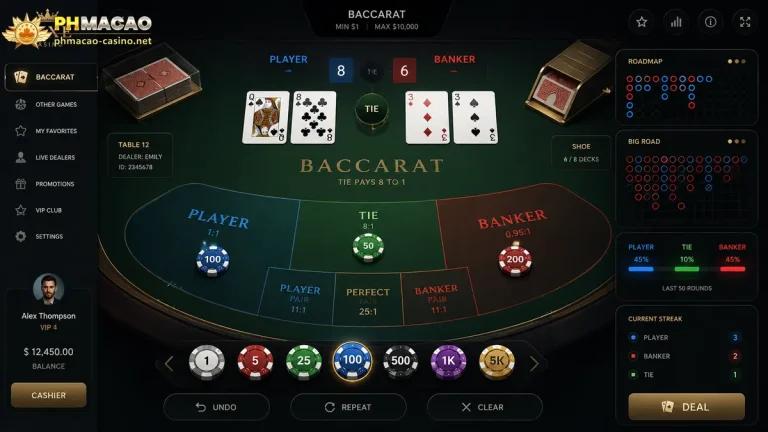




This PHMacao App Download guide explains how Android and iPhone users can check the source, prepare their devices, install software, and solve common problems without assuming every search result is official. App availability, publisher details, and regional access can change, so confirm information before creating an account.
Verify the Mobile Casino Source Before Installation
Find the operator’s verified website and follow its store link. Avoid advertisements, social-media posts, messages, or forwarded APK files. Compare the app name, publisher, and privacy policy. A familiar logo does not prove ownership. If the website and store identify different publishers, pause and ask official support for confirmation.
Android and iPhone Readiness Checklist
Prepare the phone before downloading. Stable Wi-Fi helps prevent incomplete files, while sufficient storage allows temporary installation data to be processed. Install operating-system updates and confirm that the application supports the device’s Android or iOS version.
| Check | Android | iPhone or iPad |
|---|---|---|
| Preferred source | Google Play | Apple App Store |
| Account required | Google Account | Apple Account |
| Security review | Check Play Protect and permissions | Review privacy details and permissions |
| Before installing | Confirm storage and compatibility | Confirm storage and iOS compatibility |
| Avoid | Unverified APK links | Unknown profiles or unofficial prompts |

Android Casino-App Installation and APK Safety
The safest PHMacao App Download route is a verified Google Play listing reached through the operator’s confirmed website. Google instructs users to open Play Store, find an item, and tap Install. First inspect the publisher instead of matching only the title. A named listing may be an unrelated game.
Standard Google Play Download Steps
Open Google Play, search for the exact app name, and compare the result with the operator’s verified link. Read the permissions, content rating, compatibility, and recent reviews. Tap Install only when the details agree. After installation, open the application and check whether the login page shows the expected support information.
When an Android APK Is Offered
An APK installs software outside Google Play and needs extra scrutiny. Google explains that Play Protect checks applications and may warn about potentially harmful software from other sources. Do not disable protection merely to install a file. Confirm the download domain, publisher, and official instructions. If authenticity cannot be established, stop rather than overriding a warning. Revoke “install unknown apps” permission after an authorised installation.
iPhone and iPad App-Store Instructions
People searching to Get the PHMacao Casino App on iOS should first confirm that a genuine listing is available in their country. Apple directs users to open the App Store, search, and tap Get or the displayed price. Results vary by region and distribution status. No verified publisher or direct iOS listing was supplied for this article, so those details require manual confirmation.
How to Install Through Apple’s App Store
Open the App Store and use Search instead of following a shortened link. Compare the seller name, developer website, privacy information, age rating, compatibility, and version history with verified information. Tap Get, then authenticate with Face ID, Touch ID, or an Apple Account password. When installation finishes, launch the application from the Home Screen and review permissions before signing in.
What to Do When No iOS Listing Appears
Do not treat a missing result as permission to install an unknown profile or share an Apple Account password. Check spelling, compatibility, regional availability, and parental restrictions. Contact support through a verified channel and request the official listing. A browser-based mobile site may be an alternative only when its domain is confirmed and its terms permit access in the user’s location.
Login Setup, Updates, and Permission Controls
Create a unique password and enable multi-factor authentication when available. Never send passwords, one-time codes, identity documents, or payment details through unofficial chat accounts. Grant only permissions necessary for app functions; access to contacts, microphone, camera, photos, or location should have an understandable purpose. Keep the application and operating system updated through official channels, and review account activity after unfamiliar notifications.
Fixing Slow, Failed, or Stalled Downloads
If PHMacao App Download fails, confirm the internet connection, restart the phone, check storage, and ensure automatic date and time are correct. Android users can review Play Store updates and compatibility; Apple users can check App Store restrictions and prioritise a stalled download. Avoid repeatedly downloading files from different websites. If an error continues, record its exact message and contact verified support without sharing credentials.
Responsible Mobile Play and Final Checks
Casino play involves financial risk and should remain optional entertainment. Confirm legal-age and location requirements, set an affordable spending cap, schedule breaks, and avoid chasing losses or borrowing money. Review deposit, withdrawal, verification, privacy, bonus, and self-exclusion terms before funding an account. If the source, publisher, licence, or payment instructions cannot be verified, do not proceed. Safe installation matters, but control over time and money matters just as much.